For 1990-2009 cars only
Radio Rear Speaker Replacement for Cadillac STS 2009
Radio Rear Speaker Replacement Center
Removal Procedure
- Remove the rear shelf trim panel. Refer to Rear Window Shelf Trim Panel Replacement.
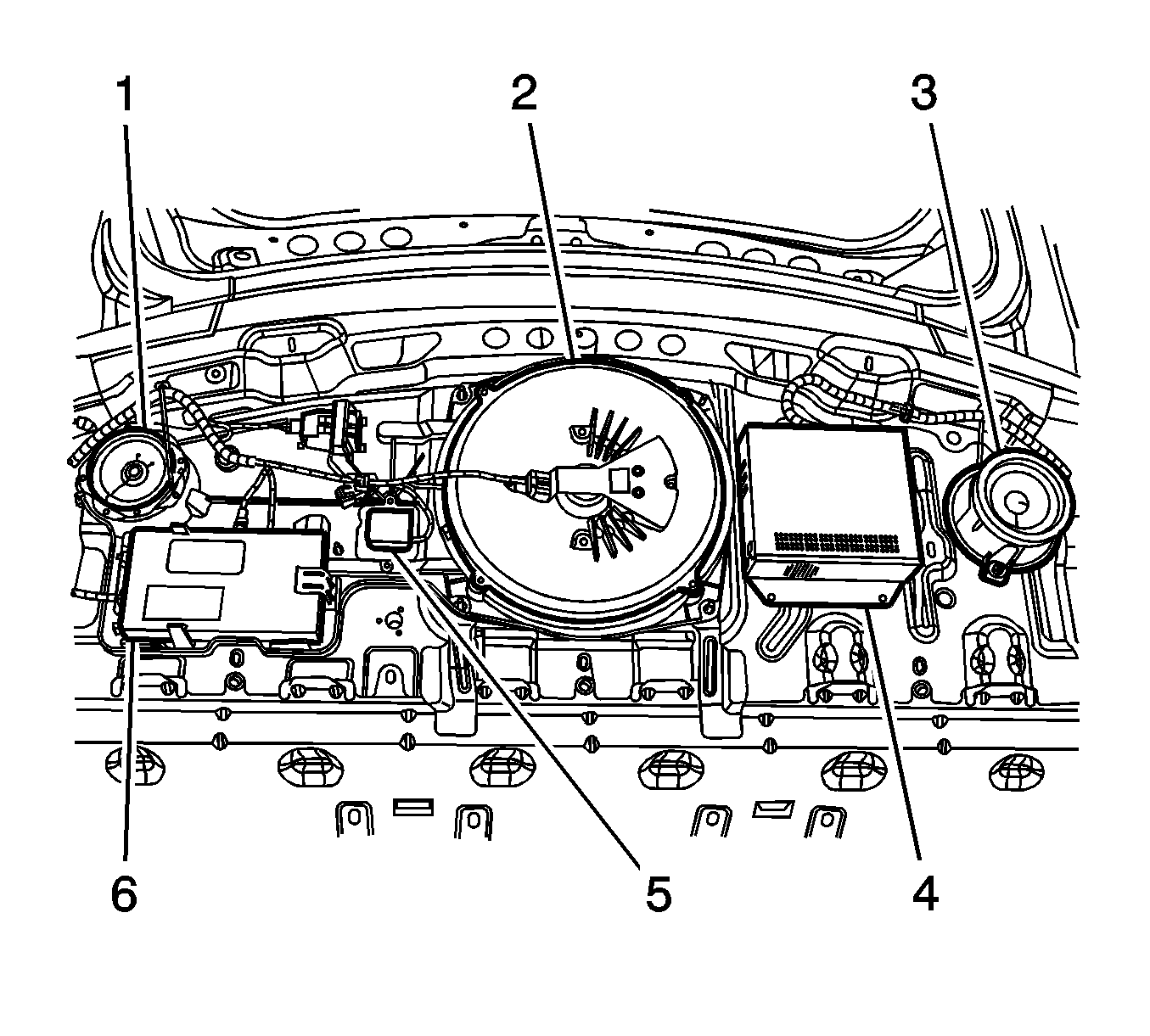
- Remove the nuts securing the center speaker (2).
- Disconnect the electrical connector.
- Remove the speaker (2).
Installation Procedure
- Install the speaker (2).
- Connect the electrical connector.
- Install the nuts securing the center speaker (2) and tighten to 9 N·m (80 lb in).
- Install the rear shelf trim panel. Refer to Rear Window Shelf Trim Panel Replacement.
Caution: Refer to Fastener Caution in the Preface section.
Radio Rear Speaker Replacement Left
Removal Procedure
- Remove the rear shelf trim panel. Refer to Rear Window Shelf Trim Panel Replacement.
- Remove the nuts securing the left speaker (3).
- Disconnect the electrical connector.
- Remove the speaker (3).
Installation Procedure
- Install the speaker (3).
- Connect the electrical connector.
- Install the nuts securing the left speaker (3) and tighten to 9 N·m (80 lb in).
- Install the rear shelf trim panel. Refer to Rear Window Shelf Trim Panel Replacement.
Caution: Refer to Fastener Caution in the Preface section.
Radio Rear Speaker Replacement Right
Removal Procedure
- Remove the rear shelf trim panel. Refer to Rear Window Shelf Trim Panel Replacement.
- Remove the screws securing the right speaker (1).
- Disconnect the electrical connector.
- Remove the speaker (1).
Installation Procedure
- Install the speaker (1).
- Connect the electrical connector.
- Install the screws securing the right speaker (1) and tighten to 9 N·m (80 lb in).
- Install the rear shelf trim panel. Refer to Rear Window Shelf Trim Panel Replacement.
Caution: Refer to Fastener Caution in the Preface section.
