For 1990-2009 cars only
Instrument Panel Accessory Trim Plate Replacement for Cadillac Seville 1998
Instrument Panel Accessory Trim Plate Replacement Left
Removal Procedure
- Disable the SIR. Refer to Disabling the SIR System in SIR.
- Remove IP upper trim pad. Refer to Instrument Panel Upper Trim Pad Replacement .
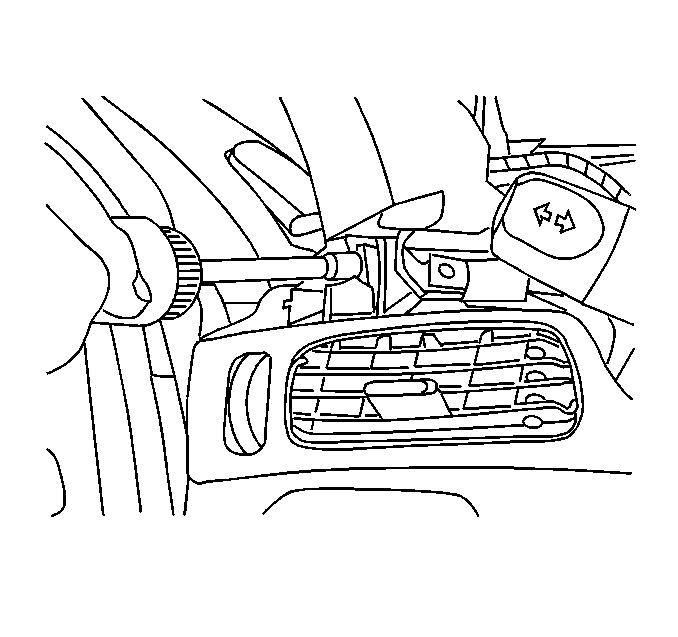
- Remove one fastener near IP cluster at IP retainer.
- Lift outboard end of trim plate to disengage locating tab and pull rearward.
Installation Procedure
- Align woodgrain trim panel to IP retainer.
- Install fastener from trim panel to IP retainer.
- Install IP upper trim pad. Refer to Instrument Panel Upper Trim Pad Replacement .
- Enable the SIR. Refer to Enabling the SIR System in SIR.
Instrument Panel Accessory Trim Plate Replacement Right
Removal Procedure
- Disable SIR. Refer to Disabling the SIR System in SIR.
- Remove IP upper trim pad. Refer to Instrument Panel Upper Trim Pad Replacement .
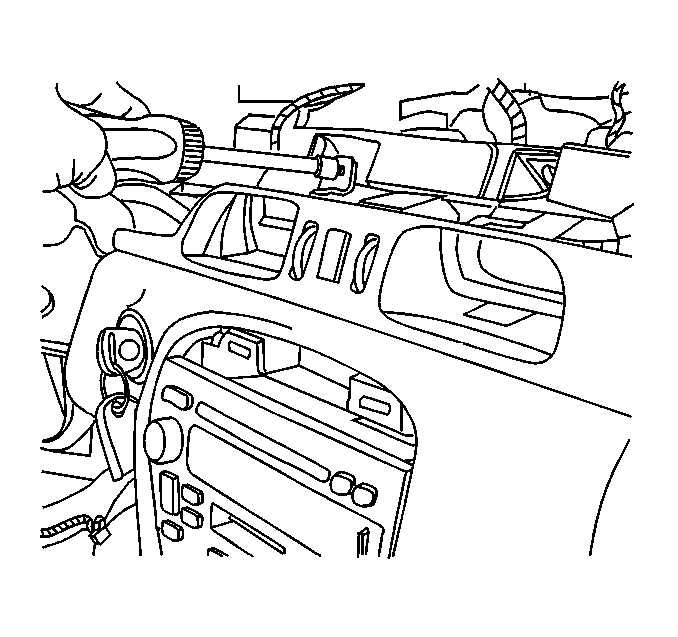
- Remove two fasteners from trim panel to IP retainer.
- Remove PSIR module. Refer to Inflatable Restraint Instrument Panel Module Replacement in SIR.
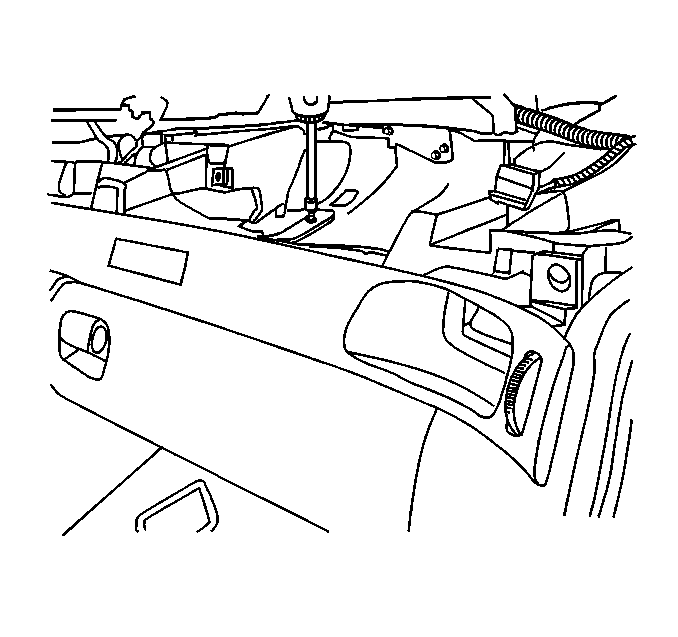
- Remove two fasteners from straps at carrier.
- Pull rearward on trim panel to disengage three snap clips and remove trim plate.
Installation Procedure
- Align trim panel to IP retainer.
- Push forward on trim plate to engage the three snap clips while aligning the A/C housings to A/C ducts.
- Install the two fasteners from trim panel to IP retainer.
- Install fasteners from straps to carrier.
- Install IP upper trim pad. Refer to Instrument Panel Upper Trim Pad Replacement .
- Install PSIR. Refer to Inflatable Restraint Instrument Panel Module Replacement in SIR.
- Enable SIR. Refer to Enabling the SIR System in SIR.
