For 1990-2009 cars only
Turn Signal Multifunction Switch Replacement for Chevrolet Blazer - 4WD - RHD 2003
Removal Procedure
- Disable the SIR system. Refer to SIR Disabling and Enabling in SIR.
- Remove the upper steering column trim cover. Refer to Steering Column Trim Covers Replacement .
- Disconnect the electrical connections to the turn signal switch.
- Remove the turn signal switch.
Caution: Refer to SIR Caution in the Preface section.
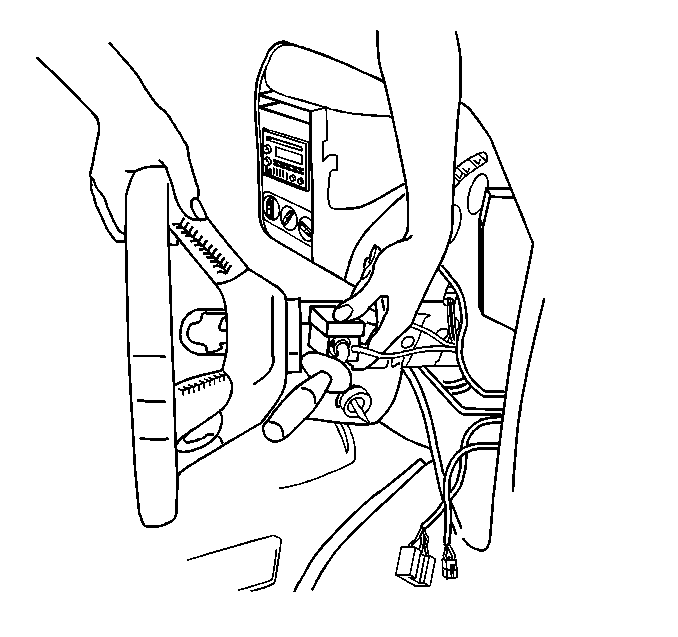
| 4.1. | Squeeze the top and bottom retaining tabs as shown in illustration. |
| 4.2. | Hold the turn signal switch by the stalk and pull out to the right of side of vehicle. |
Installation Procedure
- Install the turn signal switch to the steering column.
- Connect the electrical connectors to the turn signal switch.
- Install the upper steering column trim cover. Refer to Steering Column Trim Covers Replacement .
- Enable the SIR system. Refer to SIR Disabling and Enabling in SIR.
Important: Ensure that the turn signal switch retaining tabs click into position.
