For 1990-2009 cars only
Front Side Marker Lamp Bulb Replacement for Pontiac G8 2008
Removal Procedure
- Using a suitable tool detach the front side marker lamp assembly (1) from the front fascia (2).
- Remove the front side marker lamp bulb socket (2) from the front side marker lamp assembly (1).
- Remove the front side marker lamp bulb (2) from the front side marker lamp bulb socket (1).
- Discard the lamp bulb.
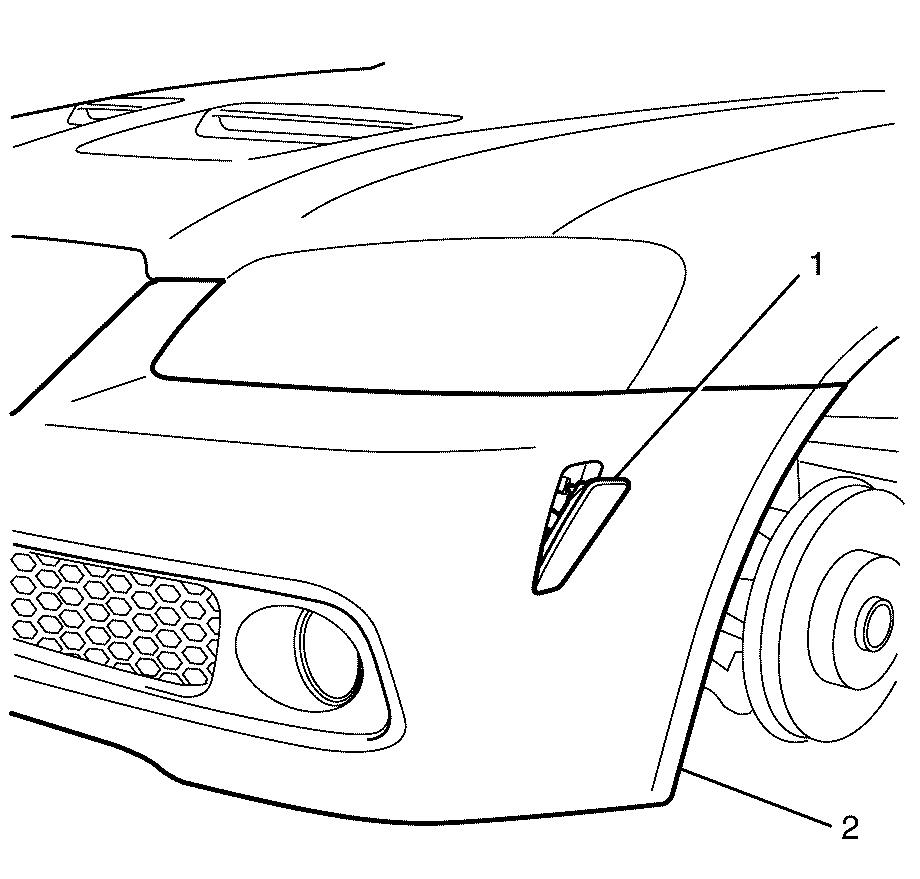
Important: Detach the front side marker lamp assembly (1) at the top.
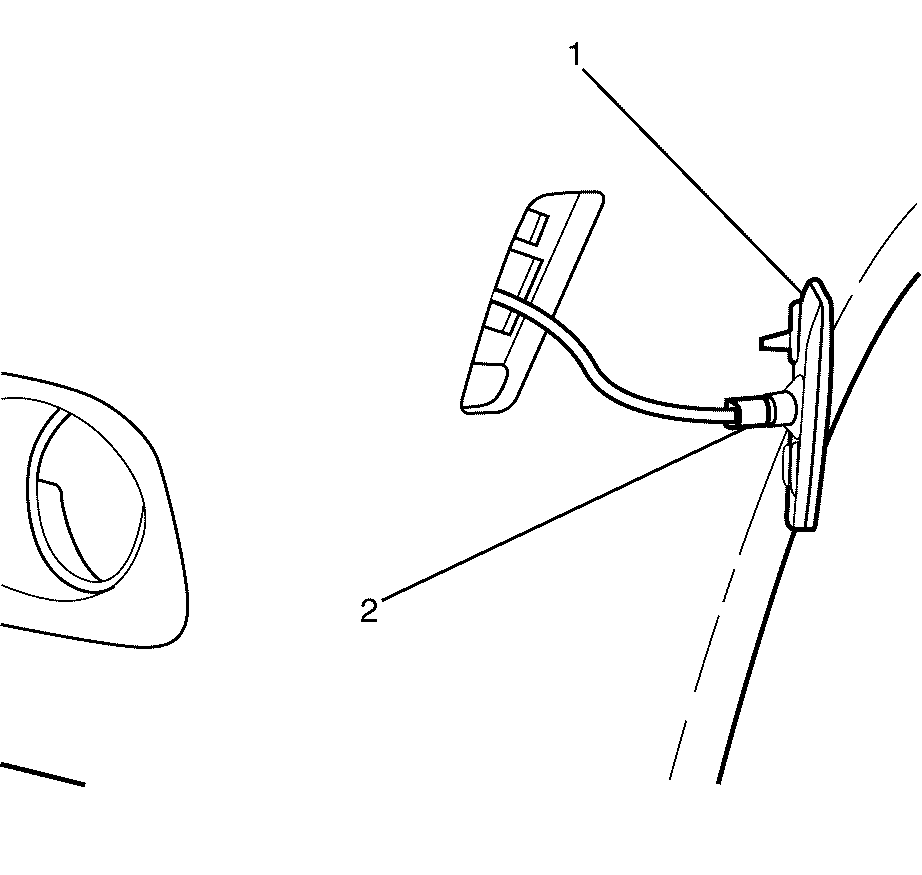
Important: Rotate the front side marker lamp bulb socket (2) counter-clockwise to remove.
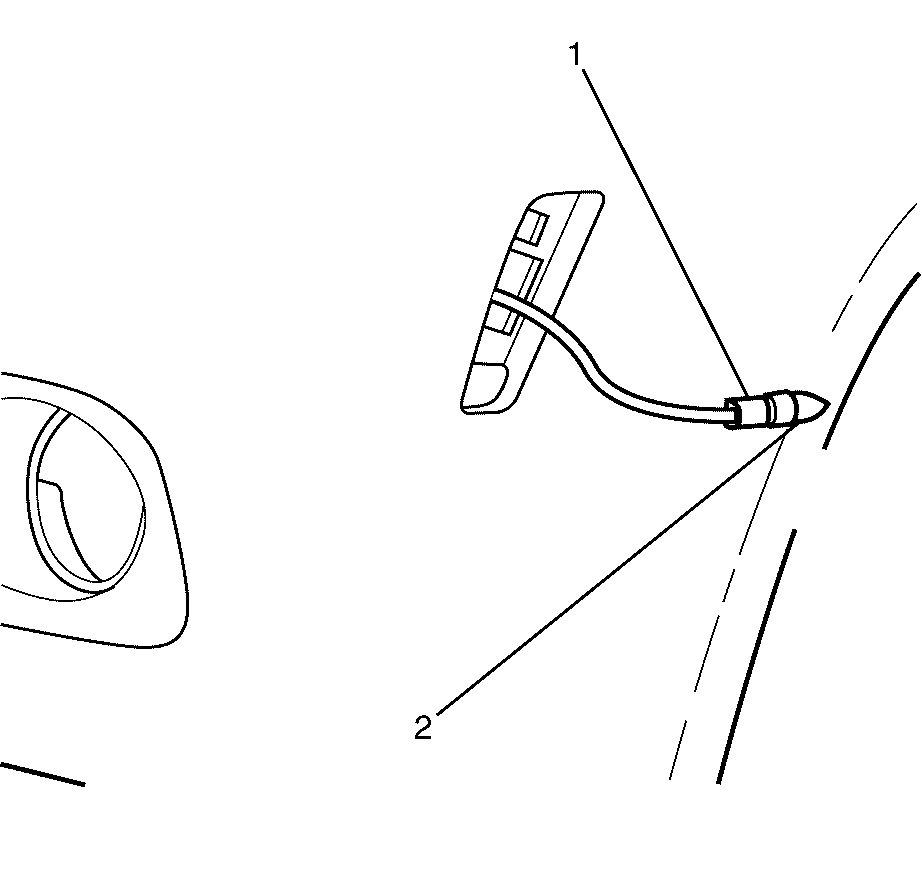
Important: Grasp the front side marker lamp bulb (2) and the front side marker lamp bulb socket (1) and pull in opposite directions.
Installation Procedure
- Install the new front side marker lamp bulb (2) to the front side marker lamp bulb socket (1).
- Install the front side marker lamp bulb socket (2) to the front side marker lamp assembly (1).
- Install the front side marker lamp assembly (1) to the front fascia (2).
Important: Push the new front side marker lamp bulb (2) into the front side marker lamp bulb socket (1).
Important: Rotate the front side marker lamp bulb socket (2) clockwise to install.
Important: Listen for an audible click to confirm correct installation of the front side marker lamp assembly (1) to the front fascia (2).
