For 1990-2009 cars only
Front Side Door Window Rear Channel Replacement for Pontiac Grand Am 2000
Removal Procedure
- Remove the door trim panel. Refer to Front Side Door Trim Panel Replacement .
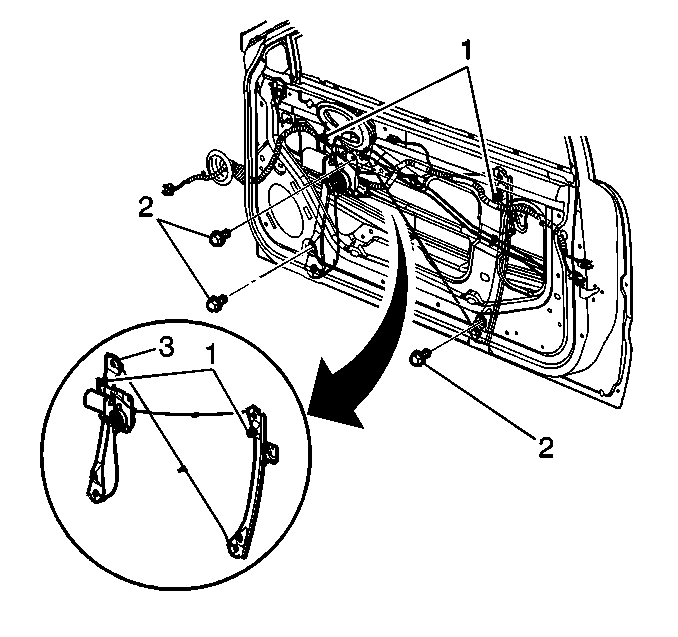
- Remove the run channel weather strip from the window (1). Refer to Window Channel Replacement .
- Remove the front window. Refer to Front Side Door Window Replacement .
- Remove the rear run channel bolt (2). Remove the channel (1).
Installation Procedure
- Install the rear run channel (1). Secure with the channel bolt (2).
- Install the front window . Refer to Front Side Door Window Replacement .
- Install the run channel weather strip to the window (1). Refer to Window Channel Replacement .
- Install the door trim panel. Refer to Front Side Door Trim Panel Replacement .
