For 1990-2009 cars only
Mobile Telephone Antenna Coaxial Cable Replacement for Pontiac Grand Prix 2005
Removal Procedure
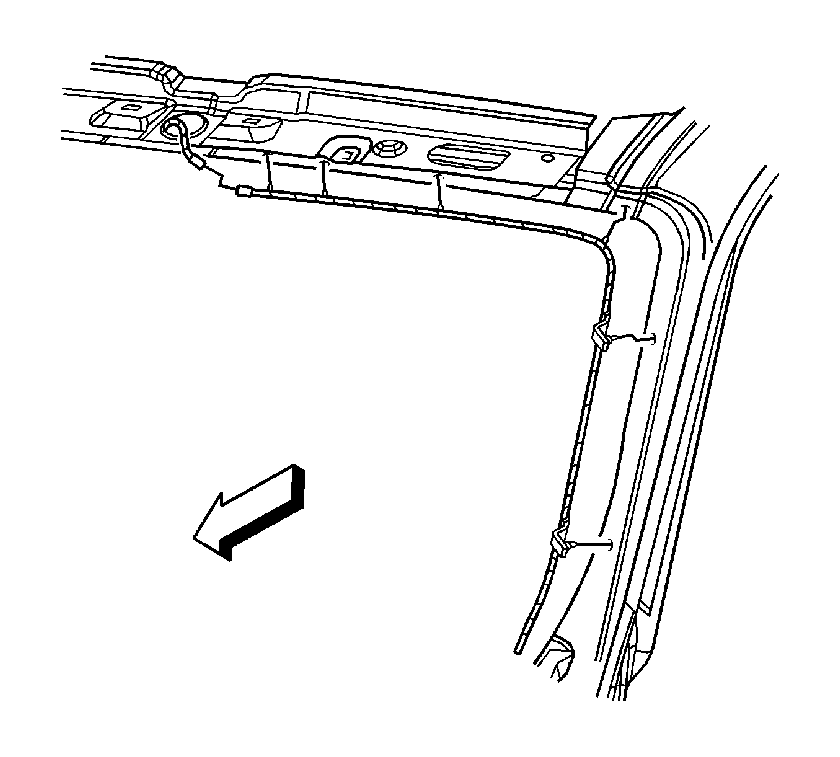
- Remove the garnish molding from the right windshield pillar. Refer to Windshield Pillar Garnish Molding Replacement in Interior Trim.
- Lower the front of the headliner. Refer to Headlining Trim Panel Replacement in Interior Trim.
- Disconnect the antenna base lead.
- Remove the body mobile telephone antenna cable from the inner roof panel and the windshield pillar.
- Remove the right instrument panel (I/P) insulator. Refer to Instrument Panel Insulator Panel Replacement - Right Side in Instrument Panel, Gages, and Console.
- Remove the right front carpet retainer. Refer to Front Carpet Retainer Replacement in Interior Trim.
- Pull back the carpet for access.
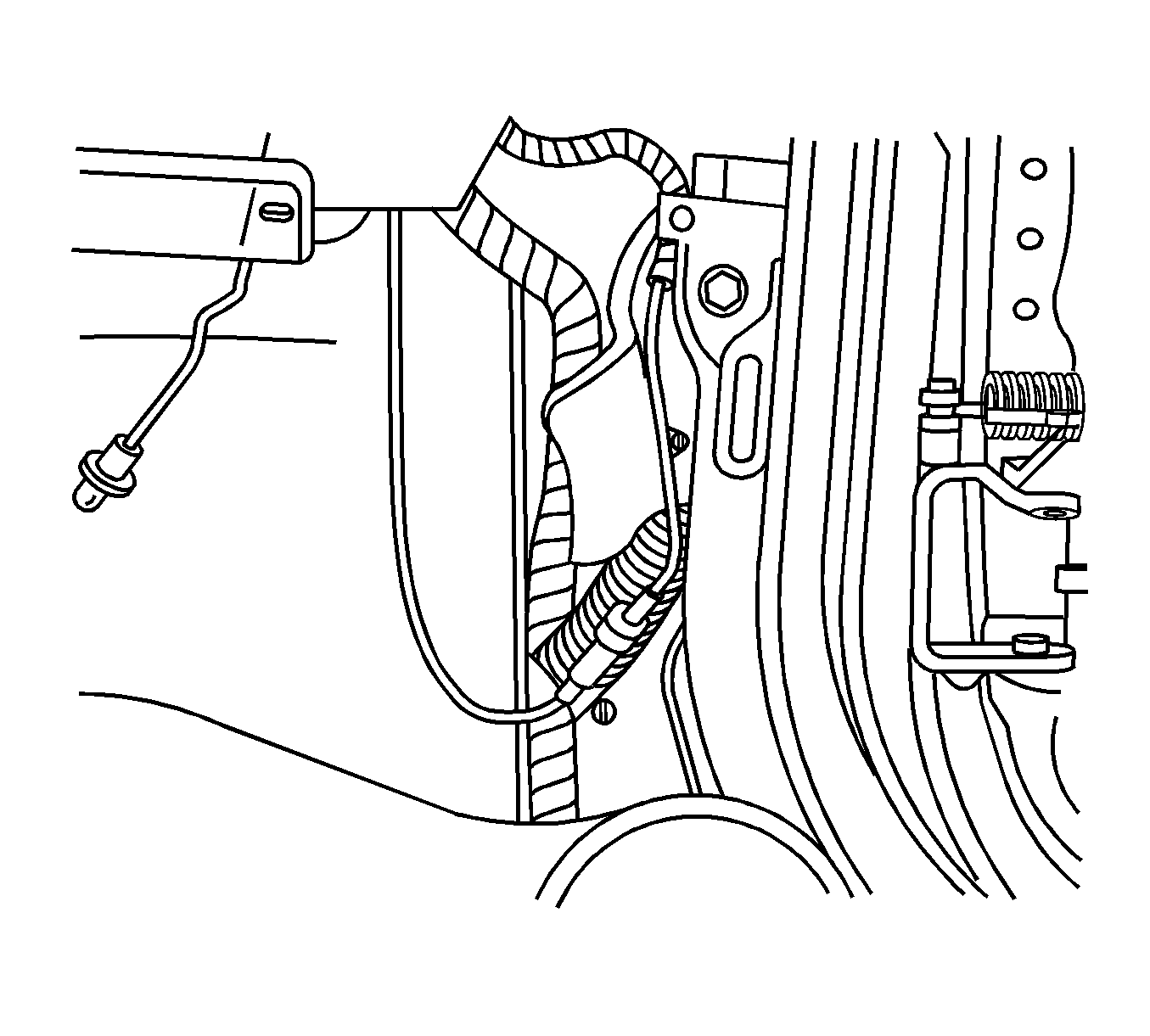
- Disconnect the body antenna cable from the I/P mobile telephone antenna cable.
- Remove the body antenna cable.
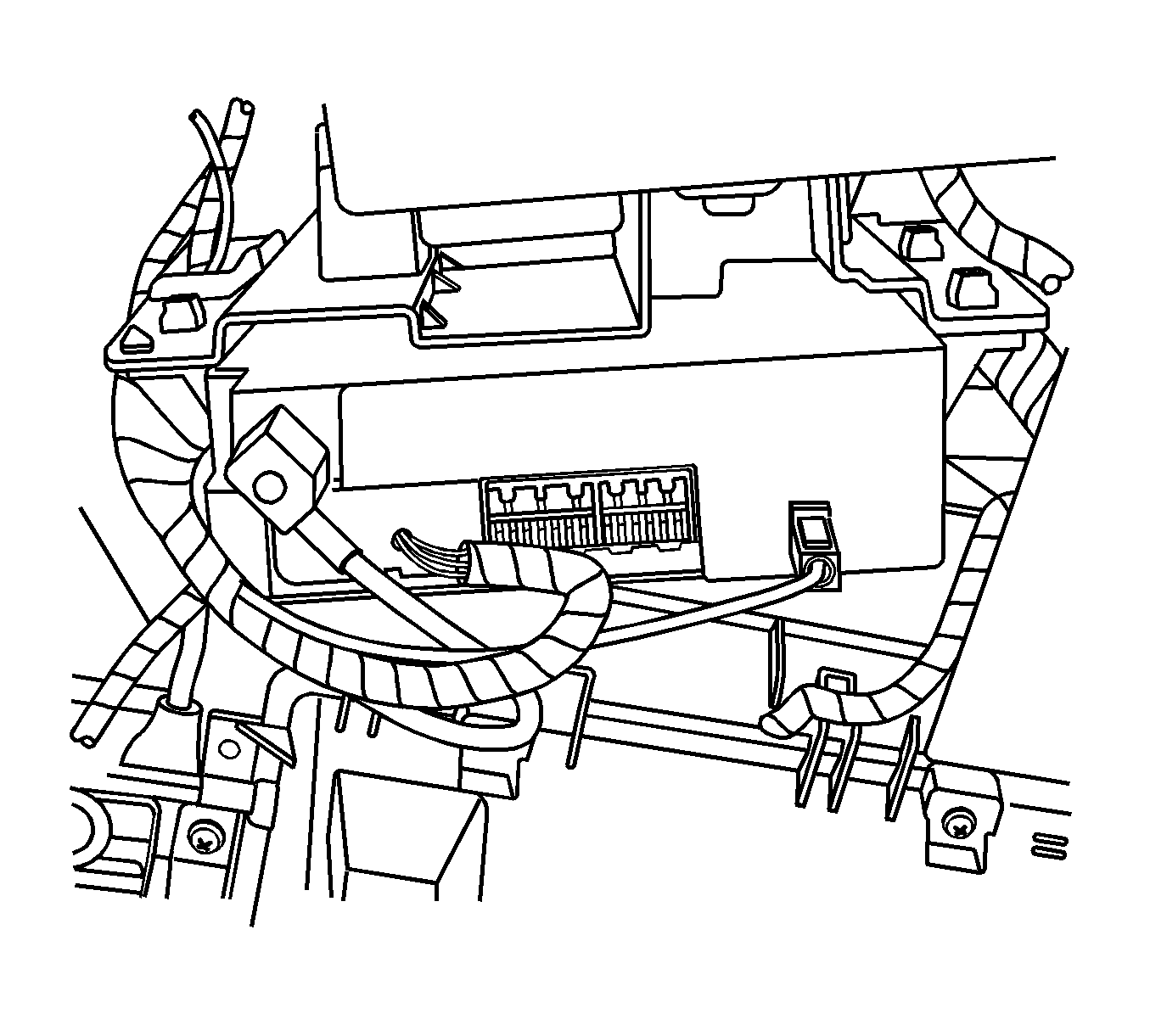
- Disconnect the I/P antenna cable from the communication interface module by pulling down on the square plastic housing.
- Cut off the visible ends of the I/P antenna cable.
Installation Procedure
- Connect the I/P antenna cable to the communication interface module by pushing on the square plastic housing.
- Route the I/P antenna cable along the I/P harness.
- Secure the I/P antenna cable to the I/P harness.
- Route the body antenna cable behind the I/P bracket.
- Connect the body antenna cable to the I/P antenna cable.
- Install the carpet.
- Install the right front carpet retainer. Refer to Front Carpet Retainer Replacement in Interior Trim.
- Install the right I/P insulator. Refer to Instrument Panel Insulator Panel Replacement - Right Side in Instrument Panel, Gages, and Console.
- Install the body antenna cable to the inner roof panel and the windshield pillar.
- Connect the antenna base lead.
- Install the headliner. Refer to Front Side Door Trim Panel Replacement in Interior Trim.
- Install the garnish molding to the right windshield pillar. Refer to Windshield Pillar Garnish Molding Replacement in Interior Trim.
