For 1990-2009 cars only
Diagnostic Instructions
| • | Perform the Diagnostic System Check - Vehicle prior to using this diagnostic procedure. |
| • | Review Strategy Based Diagnosis for an overview of the diagnostic approach. |
| • | Diagnostic Procedure Instructions provides an overview of each diagnostic category. |
Reference Information
Schematic Reference
Radio/Navigation System Schematics
Connector End View Reference
Entertainment/Communication Connector End Views
Description and Operation
Radio/Audio System Description and Operation
Electrical Information Reference
Special Tools
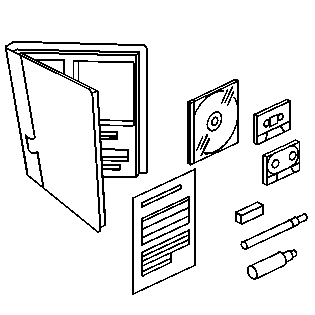
J 39916-A CD and Cassette Diagnostic Audio Kit.
Circuit/System Verification
- Tune to a strong AM or FM station and verify each speaker is producing clear and even sound, with no distortion.
- Clean the tape head path using J 39916-A CD and Cassette Diagnostic Audio Kit.
- Play a cassette and verify the radio does not display CLN or CLEAN.
| ⇒ | If any speaker is not producing sound or the sound produced is distorted, refer to Speakers Inoperative - One or More. |
| ⇒ | If the radio displays CLN or CLEAN, replace the radio. |
Repair Instructions
Perform the Diagnostic Repair Verification after completing the diagnostic procedure.
Control Module References for Radio replacement, setup, and programming
